XyDromatics Core MWL
Available now
Router family · HL7 orders → DICOM Modality Worklist

XyDromatics Core MWL — a Modality Worklist from your HL7 orders.

The orders are already in your EMR as HL7 messages — but the imaging devices can't read HL7. Core MWL bridges the two: it ingests the orders and serves them back to the modalities as a standard DICOM Modality Worklist.

It is the HL7/MWL slice extracted from the flagship Router, so the routers stay pure-DICOM. Order-in to worklist-out — nothing more. When a site just needs a worklist, this is exactly that, without standing up a full RIS.

At a glance

Availability
Available now
Classification
Non-device software · §520(o)(1)(D)
Role
HL7 order ingest → DICOM MWL C-FIND
Web console
HTTP :5123
Interfaces
HL7 MLLP in · MWL C-FIND out
Platforms
Windows · Linux
Best for
A worklist from HL7 orders without standing up a full RIS
Full regulatory posture →

The problem it solves

The order is in the EMR; the modality can't read it.

Without a worklist

The tech re-keys patient name, MRN, accession and procedure by hand at the console for every exam. Typos become mismatched studies and reconciliation work downstream.

The orders already exist in the EMR as HL7 messages, but the imaging devices speak DICOM Modality Worklist, not HL7. Bridging the two usually means standing up a full RIS — or the whole flagship Router — for a job that is really just order-in, worklist-out.

With Core MWL

An HL7 listener ingests the orders into an encrypted store, and a DICOM MWL C-FIND SCP serves them straight to the modalities as a worklist. The tech picks the patient from the device's worklist; demographics and the accession flow through automatically.

It is only the HL7/MWL slice — so a site that needs a worklist gets exactly that, without the routing, storage and transformation surface of the full Router.

What it does

Order-in to worklist-out.

An HL7 listener fills an encrypted order store; a DICOM MWL C-FIND SCP serves it back to your modalities. Everything below is part of the shipping product.

HL7 order ingest

Take the orders that already exist in the EMR, straight off the wire.

  • HL7 v2 over MLLP — the transport imaging orders already travel on
  • ORM, SIU and ADT message types — new orders, schedule events, and patient updates
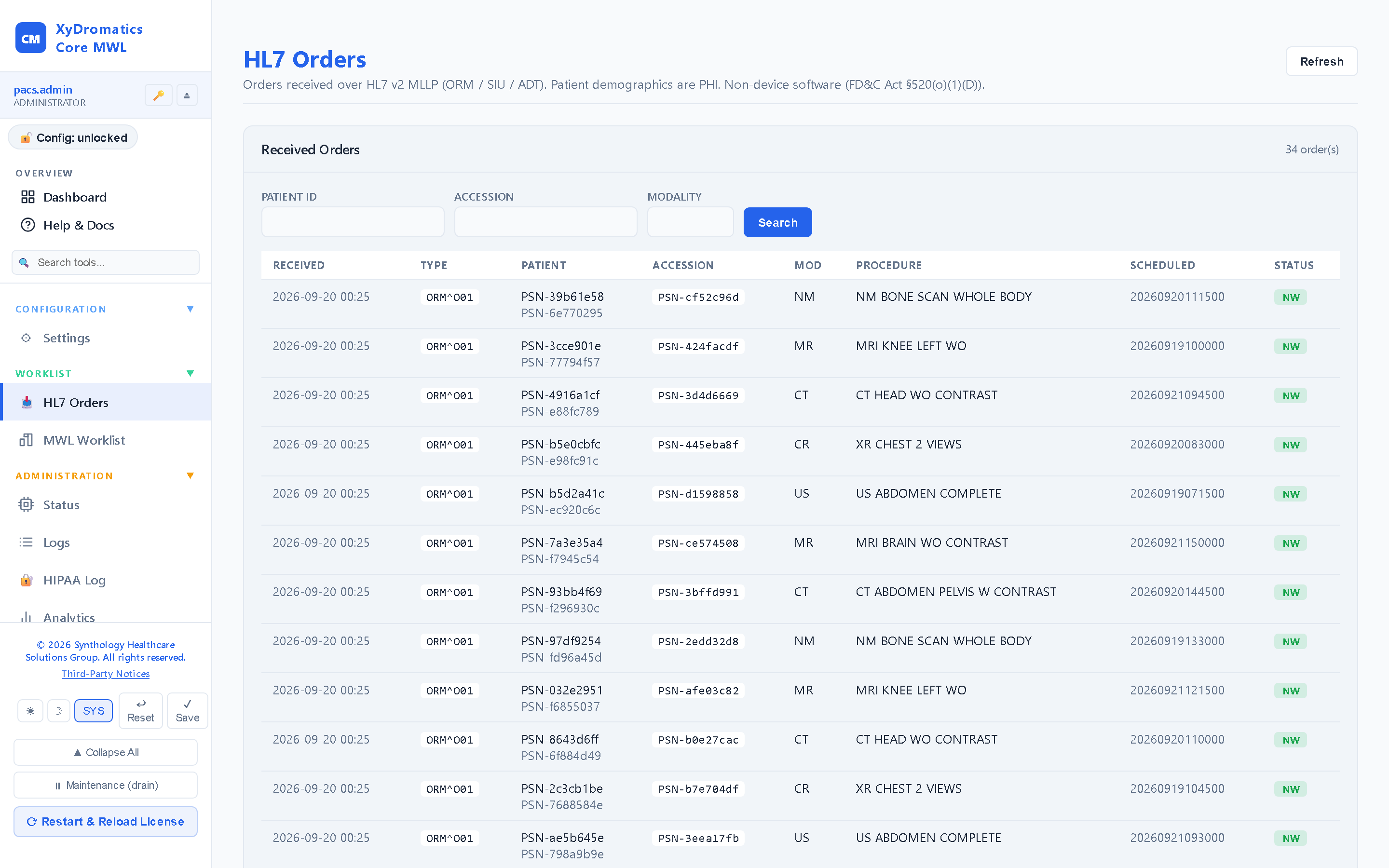
  • A configurable field-map with regex extraction pulls demographics, accession and procedure into an encrypted order store
  • Latest-order-wins reconciliation — an updated message supersedes the earlier one for the same order
DICOM Modality Worklist serve

Hand the same orders back to the imaging devices as a worklist they can read.

  • Modality Worklist (MWL) C-FIND SCP — the standard query imaging devices already make
  • C-ECHO verification so a modality can confirm the link before it relies on it
  • Serves the ingested orders as a worklist — the tech picks the patient at the console instead of hand-keying
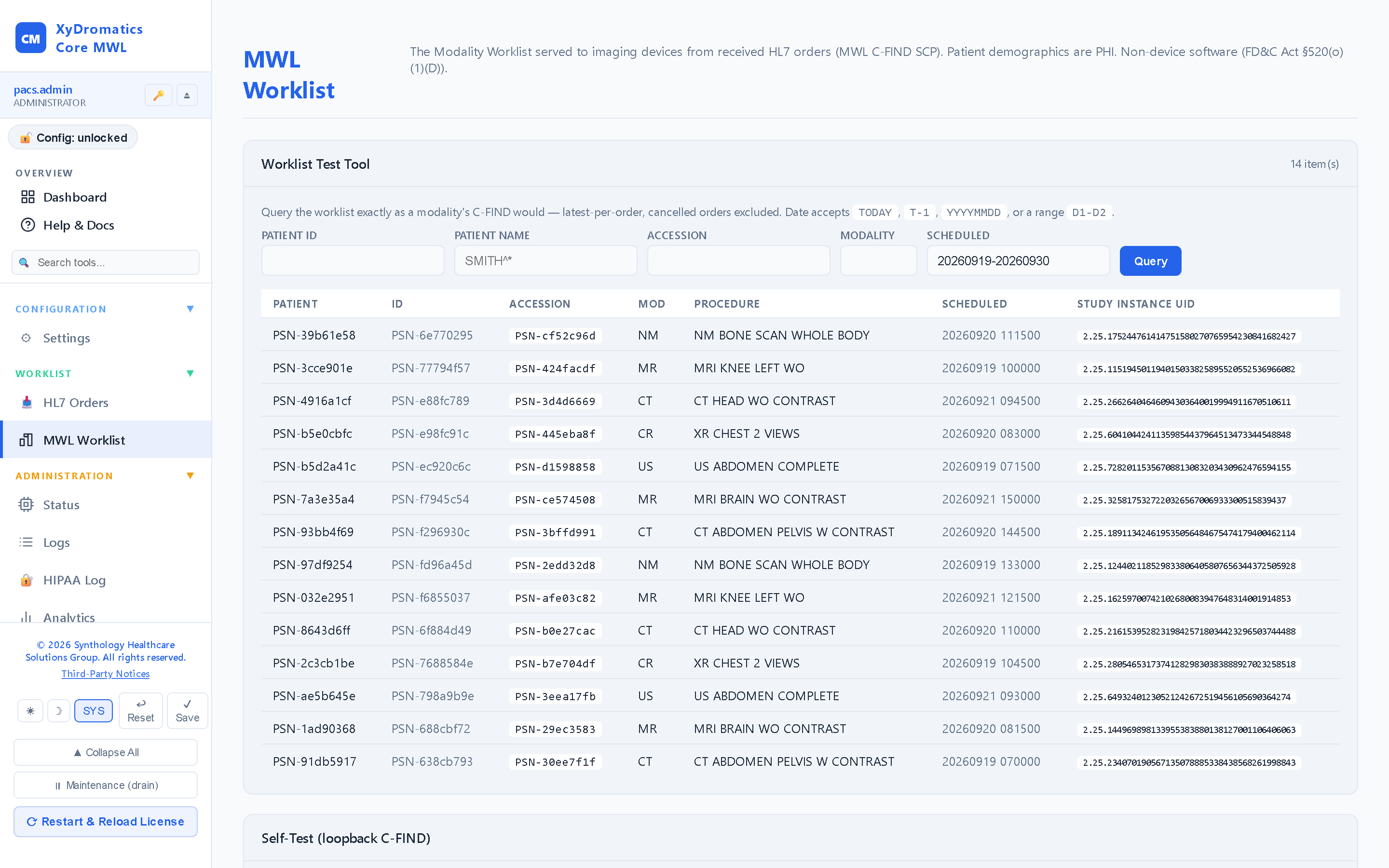
  • Wildcard and date-range matching on the incoming query
  • Requestor-AE stamping and called-AE enforcement — every response records who asked, and only known AEs are answered

Operator control

Configure the listeners the way the site is wired, and change them without downtime.

  • Config-driven HL7 and MWL listeners — the interfaces are described in configuration, not hard-coded
  • Hot-bind — add or change a listener with no service restart
  • Optional TLS / mTLS on the listeners for encrypted, mutually-authenticated links
  • Per-listener source access control — an allow-list of calling AEs
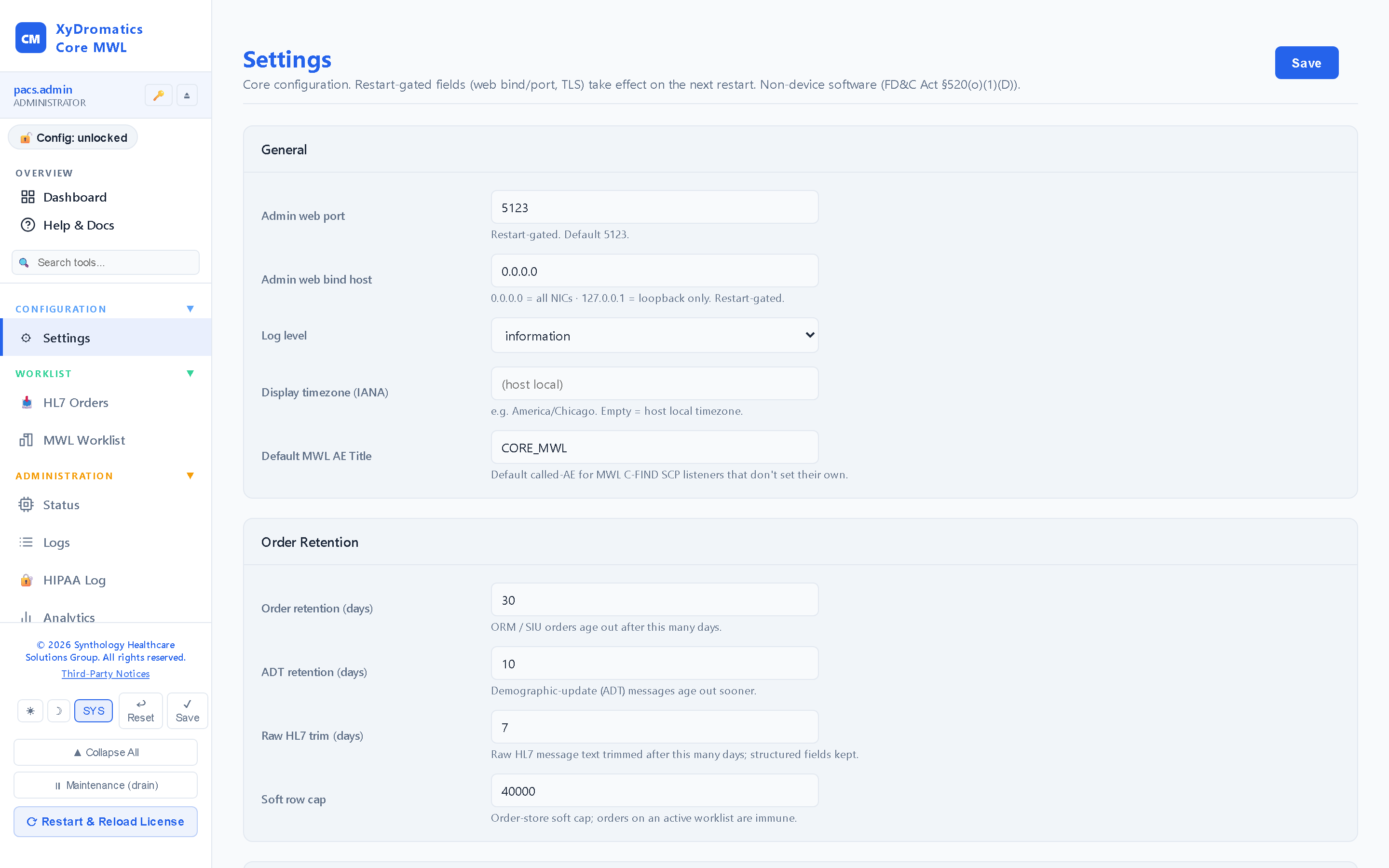
  • A full Settings editor for the whole configuration

Secure & enterprise-ready

The order store holds patient data, so it is treated like it.

  • SQLCipher-encrypted order store — the orders are encrypted at rest
  • Whole configuration sealed at rest under key-escrow
  • LDAP sign-in with RBAC and custom roles — viewing or editing PHI-bearing order data is a distinct, gated permission
  • Hash-chained, tamper-evident HIPAA audit log
  • Remote support over SynthGateway when you want it
  • Ships as a Windows MSI and a self-contained Linux build

By design, Core MWL stays in its lane. It does not route or store medical images — that is the routers — and it does not generate orders from exams — that is the Encounter Engine. Order-in to worklist-out only.

See it

Orders in, worklist out — on screen.

Live captures from a running installation — click any screen to enlarge it.

01

Worklist

The worklist exactly as a modality sees it — every scheduled procedure step, searchable, identifiers masked by role.

02

HL7 orders

Every inbound ORM/OMI order with its parse result and the worklist entry it produced.

03

Configuration

HL7 listener, MWL SCP and the order-to-worklist field mapping from one page.

Availability

Available now — Windows and Linux.

Core MWL ships today as a Windows MSI and a self-contained Linux build — the same product installs the same on both. The web console runs on HTTP :5123 for configuration and monitoring; the HL7 MLLP listener and the DICOM MWL C-FIND SCP are the two production interfaces.

Like every member of the Router family, Core MWL is non-device software under FD&C Act §520(o)(1)(D). It moves order data between HL7 and DICOM Modality Worklist; it does not interpret images, generate orders from exams, or route or store medical images.

Documentation

The controlled-document set.

Every Core MWL deployment ships with the documents below, all managed under SynthQMS document control. The DICOM Conformance Statement is publicly available; the rest are shared under mutual NDA.

Document Title Notes
DOC-2026-524 Hardware & Software Requirements (Core MWL) Sizing, OS support, dependencies
DOC-2026-521 DICOM Conformance Statement (Core MWL) Public — full SOP class + transfer-syntax matrix
DOC-2026-522 EULA Annex (Core MWL) Annex to the Synthology Master EULA (DOC-2026-063)
DOC-2026-526 Penetration Test Report (Core MWL) Available under NDA
DOC-2026-527 QA Runner Operator Work Instructions (Core MWL) Internal QA + customer-validated test runs
DOC-2026-523 End-User Guide (Core MWL) Operator + administrator workflows
DOC-2026-525 Installation Guide (Core MWL) Includes MSI deploy + Linux tarball install

Additional documents

Core MWL-specific documents beyond the standard set. Items marked Pending are tracked for authoring under SynthQMS change control.

Document Title Notes
DOC-2026-528 Third-Party Software Attribution (Core MWL) Open-source components + licences

A worklist, from the orders you already have.

XyDromatics Core MWL takes your HL7 orders and serves them to your imaging devices as a standard DICOM Modality Worklist — order-in to worklist-out, nothing more. Available now on Windows and Linux.