Specialized engine · WSI conversion · Windows-only
XyDromatics™ Pathology Engine —
native scanner files in, DICOM WSI out.
The whole-slide imaging sidecar. Watches an intake folder
for native scanner files (Aperio SVS, Hamamatsu NDPI,
3DHistech MRXS, Roche BIF, Leica SCN, Zeiss ZVI, pyramidal
TIFF), converts to DICOM Supplement 145 WSI with full
multi-resolution pyramid, forwards via STOW-RS to your VNA.
The only Windows-only product in the family — by deliberate
design (OpenSlideNET native dependency). Th
Pathology Engine is the only Windows-only product in the
XyDromatics family. The rest of the router-pattern hosts —
Router, archive family, SR Engine, Migration Engine, Encounter
Engine — ship cross-platform. Pathology Engine doesn’t,
for a specific technical reason worth understanding before
you plan the deployment.
Whole-slide-imaging vendor formats (Aperio SVS, Hamamatsu
NDPI, 3DHistech MRXS, Roche BIF, etc.) are read by the
OpenSlide
library, which depends on a stack of native C libraries
(libtiff, libpng, libxml2, glib, vendor-specific decoders).
The .NET binding (OpenSlideNET) wraps these via P/Invoke.
The whole stack compiles cleanly on Windows. Cross-
compiling for Linux is harder than it sounds because of
those native dependency chains.
Rather than ship a partially-functional Linux build, IPE is
Windows-only by design. We’d rather have one OS work
reliably than two OSes work flakily. The rest of the family
stays cross-platform; IPE is the deliberate exception.
Deployment implication
If your standard server platform is Linux, IPE will require
a Windows host (or VM) somewhere in your imaging stack.
Plan for it during discovery — usually a single Windows
host per IPE deployment is sufficient, with the rest of
your XyDromatics products running on whichever platform
your team prefers.
Capabilities
Native scanner files to DICOM WSI, in one sidecar.
The capabilities below cover the conversion pipeline,
DICOM Sup 145 output, watch-folder ingest, the license-gated
HIPAA mode, and the family-platform features (keyed-hash,
broker, audit) that you get across every router-pattern host.
Native WSI format conversion
Pathology scanners produce vendor-native WSI formats — IPE converts them all to DICOM Supplement 145 WSI for vendor-neutral archiving.
Standard study / series / instance identifiers generated per slide; study description derived from the source filename
Watch-folder ingest
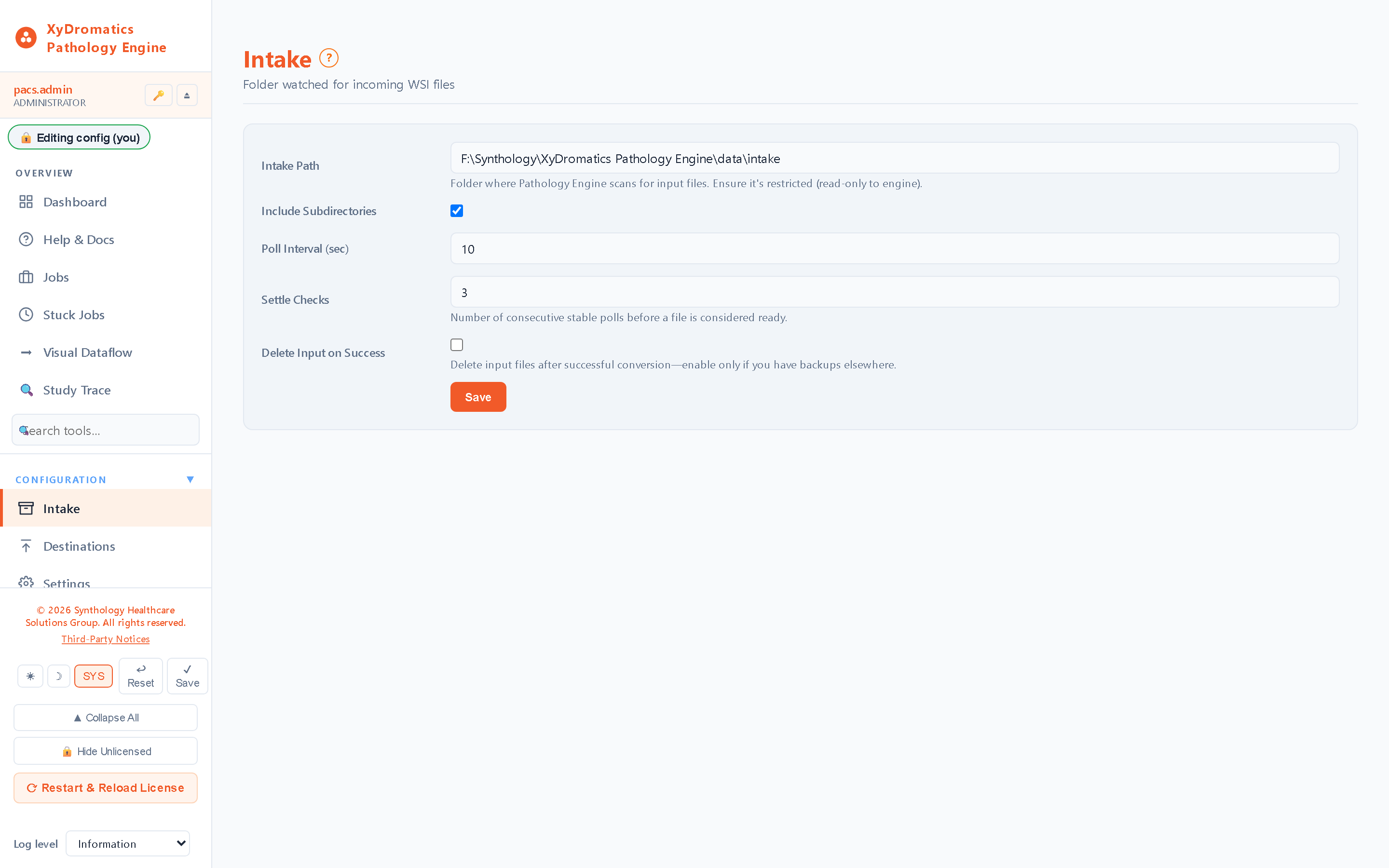
Pathology workflow is historically file-based. IPE meets the workflow where it lives — drop native files into an intake folder, the engine handles the rest.
Configurable watch directory, with optional recursion into subdirectories
File-stability detection (waits for upload completion before processing)
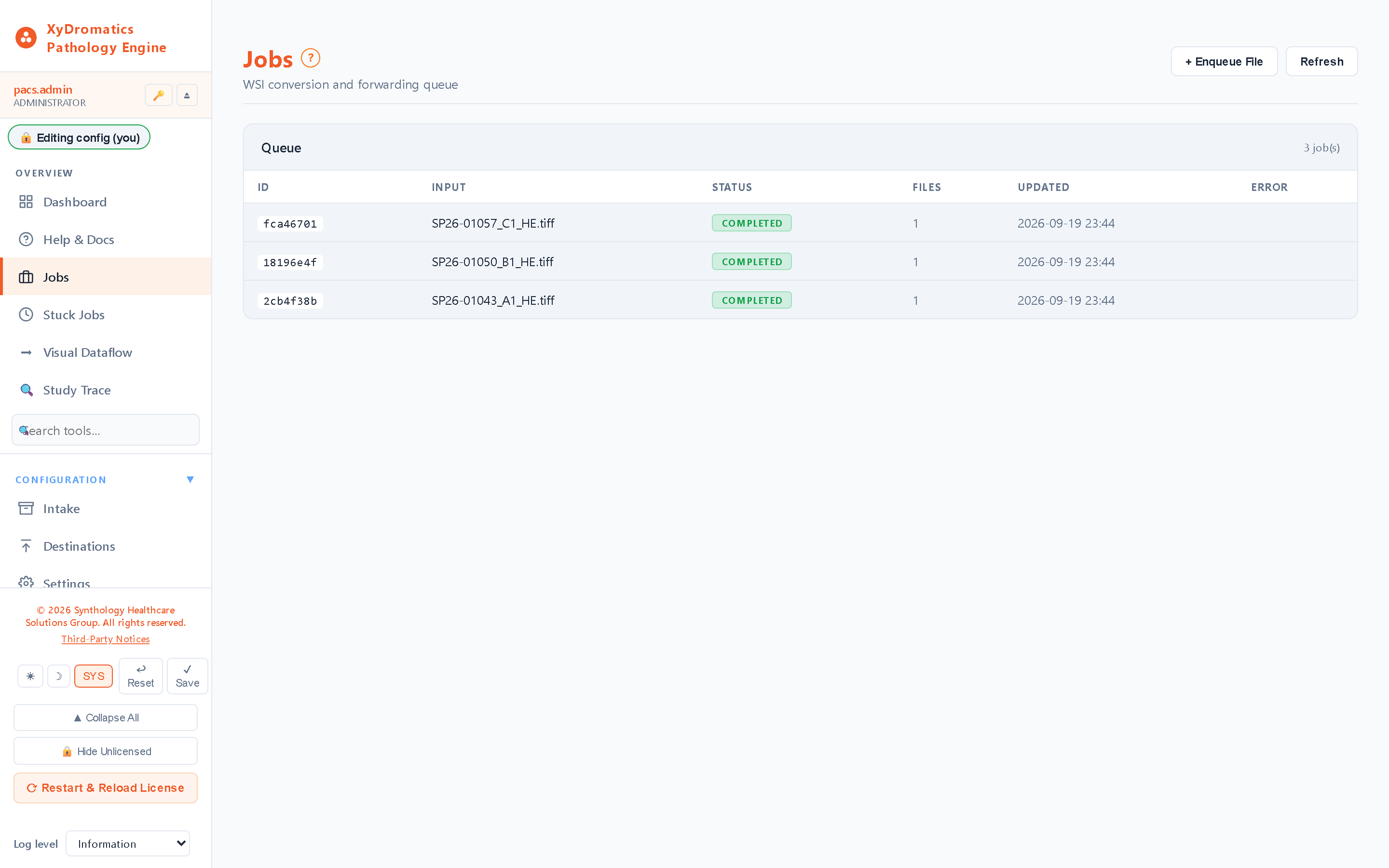
Optional delete-input-on-success; per-job outcome retained in the job store and Study Trace
HIPAA mode (license-gated)
HIPAA mode is a license feature — not a free configuration toggle. Deliberate design control under the non-device posture (§520(o)(1)(D)): clinical use requires explicit license entitlement.
License-gated HIPAA mode — `hipaa_mode` license feature must be present
Without the HIPAA-mode license: research use only (RUO) — no clinical-workflow entitlement
PHI-free by default — engine starts in non-clinical mode unless license proves entitlement
Config force-reset to HIPAA-off at startup if license is missing or invalid
Strict feature-license check in code, not just label — license-feature-enforcement-pattern (DOC reference)
Audit captures HIPAA-mode state with every action for inspection-ready evidence
Family-platform features
Same family-wide platform features as the rest of the router-pattern hosts.
Keyed-hash pseudonymization under the per-customer site key, so a patient resolves to the same pseudonym across every XyDromatics product. IPE performs the outbound leg only
Reversible pseudonymization envelope carried inside the study — re-identification is performed by XyDromatics Router, not by IPE
Pseudonymized outbound delivery to AI-vendor endpoints (digital pathology AI is a fast-growing space); returned findings are handled by Router, which holds the re-identification path
Web administration UI with shared sidebar shell
Role-based access control with full permission catalog
Pathology workflow has historically been file-based. IPE
meets that workflow where it lives — scanner drops native
file into intake folder; engine handles conversion + forward.
Use cases
Five WSI-specific deployment patterns.
Pattern 1
Production WSI-to-DICOM conversion pipeline
The primary pattern: pathology scanners produce native files; IPE converts to DICOM Sup 145 WSI; converted slides land in the VNA for vendor-neutral archive + clinical retrieval. Replaces the patchwork of vendor-specific tooling that pathology departments often accumulate.
Flow
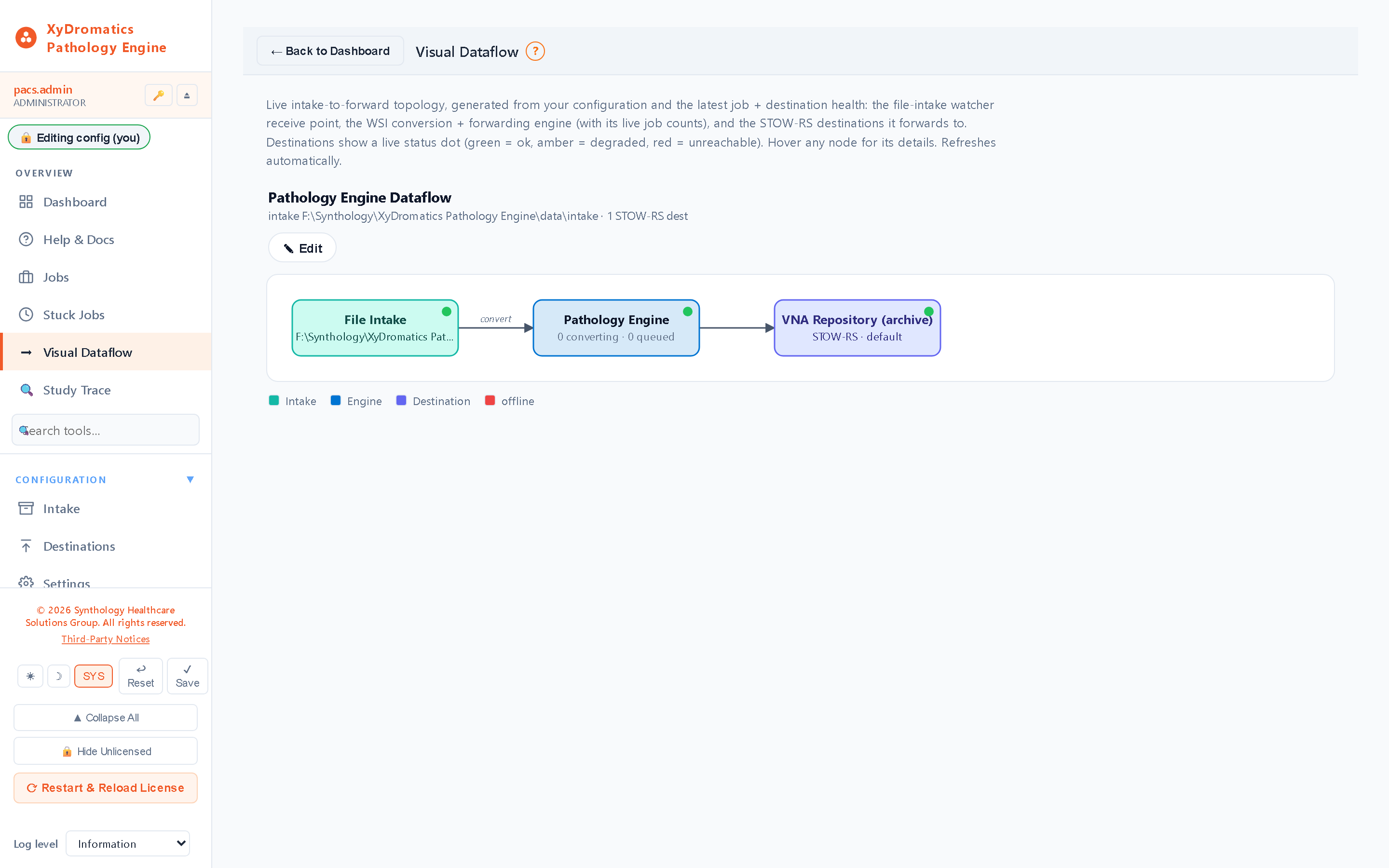
1Pathology scanner produces native WSI file (SVS / NDPI / MRXS / etc.) into the watch folder
2IPE detects file completion, identifies the format
3Conversion to DICOM Supplement 145 WSI with multi-resolution pyramid generation
4Per-slide DICOM identity generated at conversion — fresh study, series and instance UIDs, Modality SM, and a study description derived from the source filename
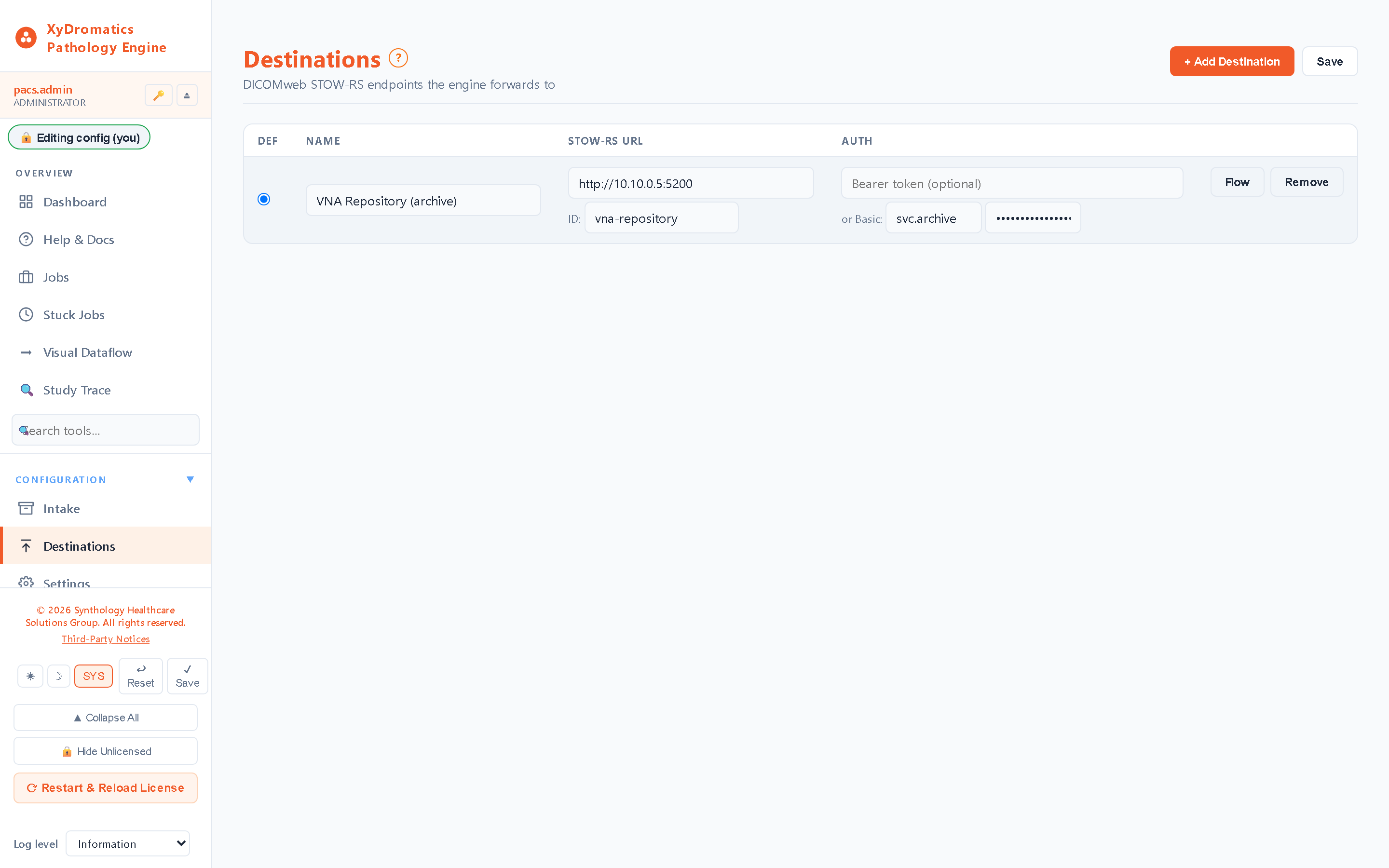
5STOW-RS forward to target VNA
6Audit log retains the full ingest-convert-forward chain
Pattern 2
WSI archive consolidation onto DICOM
A pathology department with years of accumulated scanner-native WSI files (in vendor-proprietary formats, often siloed by scanner) wants to consolidate onto a vendor-neutral DICOM archive. IPE batch-processes the historical archive into DICOM Sup 145.
Flow
1Existing scanner-native files staged in batch ingest folders
2IPE processes in scheduled windows (overnight / weekend) at controlled parallelism
3Automatic format detection (file extension plus OpenSlide vendor detection) handles a mixed scanner fleet through one conversion path, with no per-scanner setup
4Converted DICOM WSI forwarded to target archive
5Per-slide audit trail proves what was converted and when
6Original native files retained per institutional policy until conversion is verified
Pattern 3
AI-vendor digital pathology integration (PHI-shielded)
Digital-pathology AI is a fast-growing space (Paige, PathAI, Ibex, Mindpeak, Indica Halo, others). IPE supports the family-wide PHI-shielded round-trip — de-identify on the way out, AI vendor analyzes, findings come back, IPE re-identifies via keyed-hash pseudonymization.
Flow
1Slide qualifies for AI analysis per institutional policy
2IPE de-identifies via keyed-hash pseudonymization (anon-ID derived from PHI + system encryption key)
3De-identified DICOM WSI sent to AI vendor (vendor sees only anon-ID)
5Router re-identifies from the reversible pseudonymization envelope carried inside the study
6Findings forwarded to pathology PACS / EMR / reporting platform linked to the correct case
Pattern 4
Research-cohort WSI preparation
Research project requires de-identified WSI cohort for AI training, biomarker discovery, or longitudinal study. IPE converts and de-identifies upstream of XyDromatics Research (or Clinical Research Archive's research lane).
Flow
1IRB-approved research protocol defines cohort criteria + anonymization profile
2Qualifying slides ingested via the watch folder
3IPE applies anonymization profile during conversion (DICOM PS3.15 Annex E + IRB overrides)
4Anonymized DICOM WSI forwarded to XyDromatics Research or to Clinical Research Archive's research lane
5Cohort metadata retained for IRB renewal cycles
6Re-identification is performed by the Router, which holds the de-anonymization leg; IPE pseudonymizes on export only
Pattern 5
Multi-site pathology consolidation
A health-system pathology service with scanners at multiple sites (different scanner vendors at different sites) consolidates onto a unified DICOM WSI archive. IPE deployments at each site convert per-site native files; converted DICOM WSI flows to a central VNA.
Flow
1Per-site IPE deployments handle each site's scanner mix
2Each site's native files convert to DICOM Sup 145 locally
3Converted DICOM WSI forwarded to central VNA via STOW-RS
4Each site sends to its own STOW-RS destination and its job history is stamped with that site's IPE instance name, which is what carries attribution downstream
5Central archive serves all sites' pathologists with consistent DICOM retrieval
XyDromatics Repository / Clinical / Research / Clinical Research via STOW-RS
Any DICOM-conformant third-party VNA via STOW-RS
Pathology PACS systems with DICOM Sup 145 support
AI-vendor endpoints for digital-pathology AI integration
Research archives with anonymization applied during conversion
Cross-product orchestration
Shared site encryption key (consistent anon-IDs across the customer's portfolio)
Same anonymization profiles as Router / Migration Engine / XyDromatics Research
AI-vendor PHI-shielded round-trip pattern same as the rest of the family
SynthQMS license activation; optional off-site configuration backup and restore via SynthGateway config sync
Identity, audit, observability
Local username/password authentication with optional LDAP bind for the web admin UI
Active Directory via LDAP bind (server / port / TLS / bind-DN template with group→role mapping)
Per-file ingest-to-forward trail for every slide picked up from the configured intake folder (one watch folder per install, with optional subdirectory recursion)
Serilog console + rolling-file logs, structured JSON HIPAA audit log, and operational metrics on /api/health
HIPAA-mode state observable on /api/auth/whoami (and the /api/hipaa_log endpoints); /api/health carries license status, queue depths and disk watermark
Availability
A sidecar, not a pool member.
The Pathology Engine takes its work from a watched intake folder, not
from a DICOM association. There is nothing for a load balancer to
route, and pointing two instances at one intake folder would turn every
slide into two — both would claim the same file.
So its resilience is local and durable instead. Conversion work is
tracked in a persistent job store rather than held in memory, which
means an interrupted run resumes rather than starting over, and a slide
that failed to convert stays visible as a failure to be retried instead
of vanishing quietly.
If the intake folder lives on storage you already replicate or
snapshot, that protection extends to the work waiting in it.
WSI files are large (1 GB to 40 GB per slide depending on
tissue size and magnification). Conversion is CPU-intensive
for the multi-resolution pyramid generation. I/O bandwidth
is often the bottleneck before CPU saturates. Sizing tiers
are starting points; final sizing comes out of discovery.
Tier
Slide volume
CPU
RAM
Storage
Typical site
Departmental
< 200 slides / day
8 vCPU
32 GB
2 TB working + intake / convert
Single pathology service, 1–2 scanners. Single IPE host.
Hospital pathology
200 – 1,000 slides / day
16 vCPU
64 GB
8 TB working
Hospital pathology service, multiple scanners, full clinical signout workflow.
Academic medical center
1,000 – 3,000 slides / day
32 vCPU per node, multi-host
128 GB per node
20+ TB working
AMC pathology service with research workload, multi-vendor scanner mix.
Multi-site enterprise
> 3,000 slides / day aggregate
32 vCPU per site, distributed deployment
128 GB per node
Per-site working storage + central archive
Health-system multi-site pathology consolidation, per-site IPE deployments forwarding to central VNA.
Licensing
Three packages, HIPAA mode license-gated.
Core covers conversion + forwarding for research / development
use. The HIPAA Mode tier unlocks clinical use (mandatory for
any production pathology workflow). Enterprise adds keyed-
hash pseudonymization and AI-vendor PHI shielding. IPE runs as a
single instance — two on one intake folder would convert every
slide twice.
IPE Core (research / development)
The base appliance — WSI conversion, watch-folder ingest, STOW-RS forwarding. An unlicensed install cannot enable HIPAA mode, so it is limited to research / development use; a valid site license includes HIPAA mode.
All native WSI format conversions
DICOM Sup 145 output with multi-resolution pyramid
Runs with HIPAA mode off — no authentication, no audit log, and no PHI persisted in IPE's own job store. (PHI embedded in slide metadata is forwarded either way; HIPAA mode governs IPE's access controls, not the payload.)
IPE + HIPAA Mode
HIPAA mode is license-gated: it is inert unless a valid, unexpired license is installed, and the service force-resets it to off at startup otherwise. Every valid Pathology Engine site license includes it — it is not a separate purchase. Required for any production clinical pathology workflow.
Everything in Core
`hipaa_mode` license feature activated
Clinical-use enabled (PHI handling permitted under HIPAA / 21 CFR Part 11 alignment)
Strict feature-license enforcement (cannot be config-toggled)
HIPAA-mode state observable on /health endpoint for inspection-ready evidence
License-status auditing per the family-wide license-feature-enforcement standing rule
IPE Enterprise
Everything, plus per-destination keyed-hash pseudonymization for AI-vendor PHI shielding and cross-product site-key sharing. (Pseudonymization ships with every valid license — it is not a separate tier.)
Everything in Core + HIPAA Mode
Keyed-hash (HMAC-SHA256) pseudonymization on export, per destination — included with the base product
Independent per-site installs, each watching its own intake folder and forwarding to a shared central archive
Single instance by design — two on one intake folder would convert every slide twice
Cross-product site-key sharing (with Router / archive family / SR Engine / Migration Engine)
Premium support tier eligible
Per-deployment licensing. Multi-host deployments licensed
per-host. Multi-product bundles (IPE + archive family + Router /
Migration Engine / SR Engine) get bundle pricing and shared
site-key provisioning for cross-product anon-ID consistency.
Documentation
The controlled-document set.
Current GA release
v1.0.1.150·released 2026-08-05
Every Pathology Engine deployment ships with the documents below, all managed under SynthQMS document control. The DICOM Conformance Statement is publicly available; the rest are shared under mutual NDA.
What’s new·v1.0.1.150
Study-level tracing, access control, and clearer documentation
▸Trace a single study through the pipeline, with no patient-identifying data exposed.
▸Role-based access control on job views and actions.
▸In-app documentation of supported whole-slide image formats now reflects exactly the formats the converter processes.
Supported WSI formats and the transcode behavior applied to each, maintained as living documentation
Frequently asked
The questions pathology IT asks.
Why is IPE the only Windows-only product in the family?
OpenSlideNET dependency. Whole-slide-imaging vendor formats (SVS, NDPI, MRXS, BIF, etc.) are read by the OpenSlide library, which depends on a stack of native C libraries (libtiff, libpng, libxml2, glib, vendor-specific decoders). The .NET binding (OpenSlideNET) wraps these via P/Invoke. The whole stack compiles cleanly on Windows but cross-compiling for Linux requires picking up native dependencies that aren't straightforward to package consistently. Rather than ship a partially-functional Linux build, IPE is Windows-only by design. The rest of the router-pattern family (Router, archive family, SR Engine, Migration Engine) ships cross-platform; IPE is the deliberate exception.
What scanner formats does IPE handle?
The major vendor formats: Aperio SVS (Leica Biosystems), Hamamatsu NDPI (NanoZoomer series), 3DHistech MRXS (Pannoramic, now Sysmex), Roche / Ventana BIF (DP200 / DP600 / DP1000), Leica SCN (SCN400), Zeiss ZVI / CZI (Axio Scan series), and pyramidal TIFF / BigTIFF as a generic fallback. Already-DICOM scanners are passed through without re-conversion. A DOC-controlled catalog records every WSI format IPE ingests and the transcode behavior applied to each one; format handling itself is automatic, so there is no per-scanner profile to maintain.
What's realistic conversion throughput?
Highly dependent on slide resolution, scanner format, and host CPU. Conservative targets: a single IPE host on 16 vCPU + 64 GB RAM converts roughly 200-500 slides/day at typical clinical scan resolutions. Higher-throughput deployments add independent IPE hosts, each watching its own intake folder distributed processing. WSI files are large (50 GB to 500 GB per slide depending on tissue size + magnification + bit depth) so I/O bandwidth is often the bottleneck, not CPU. Discovery phase produces a realistic forecast for your scanner mix and volume.
Why is HIPAA mode license-gated rather than a config toggle?
Deliberate design control under the non-device posture (§520(o)(1)(D)). A clinical-use capability that's gated by the EULA but reachable via a config flag can be enabled by accident -- and good cybersecurity practice is not friendly to that pattern. By making HIPAA mode a license feature with strict license-status enforcement (per the family-wide license-feature-enforcement pattern), the entitlement boundary lives in code rather than in customer-modifiable config. Without a valid HIPAA-mode license, IPE force-resets to non-clinical mode at startup -- the customer can't accidentally enable a clinical capability they're not entitled to.
Can IPE forward to non-Synthology VNAs?
Yes. STOW-RS is the standard DICOM HTTP-based store endpoint, and IPE forwards to any STOW-RS endpoint -- the XyDromatics archive family, third-party VNAs, pathology-specific PACS, AI vendors. For institutions that already have a vendor VNA they're happy with, IPE slots in upstream as the WSI conversion layer without forcing a VNA replacement.
How does the AI-vendor PHI-shielding workflow work for digital pathology?
Same family-wide mechanism as the Router, archive family, SR Engine, and Migration Engine. IPE uses keyed-hash pseudonymization on the way out (de-identifies the DICOM WSI as it forwards to the AI vendor), retains the source ↔ anon-ID mapping, and re-identifies AI-returned findings on the way back. Available in the Enterprise license tier. AI vendor sees only anonymized WSI; findings get linked to the right case in the pathology archive without the AI vendor ever receiving PHI.
DICOM WSI vs proprietary scanner formats — which is better long-term?
DICOM Sup 145 WSI is the long-term answer for vendor-neutral archiving. Proprietary formats lock the data to the originating scanner vendor; DICOM WSI travels with the patient regardless of which scanner is in service today or in fifteen years. The industry trajectory is firmly toward DICOM WSI -- pathology departments running converted DICOM WSI archives have an easier time switching scanner vendors, integrating AI, and satisfying long-term retention requirements. IPE's job is making that transition incremental rather than all-or-nothing.
What's the regulatory classification?
Non-device software under FD&C Act §520(o)(1)(D), the 21st Century Cures Act §3060 carve-out for software that transfers, stores, converts, or displays device data without interpreting or analyzing it. Same framework as Router, XyDromatics Repository, XyDromatics Migration, SR Engine, and Migration Engine -- IPE handles storage and forwarding (format conversion is not interpretation) without modifying clinical interpretation. HIPAA mode is the license-gated clinical-use feature; the underlying classification is the same non-device carve-out.
Plan a digital-pathology deployment.
Tell us your scanner mix, slide volume, target archive, and
whether you need clinical (HIPAA mode) or research-only.
We’ll come back within one business day with a proposed
deployment.